Your Child's First WordQuest Session: What to Do (and What Not To)
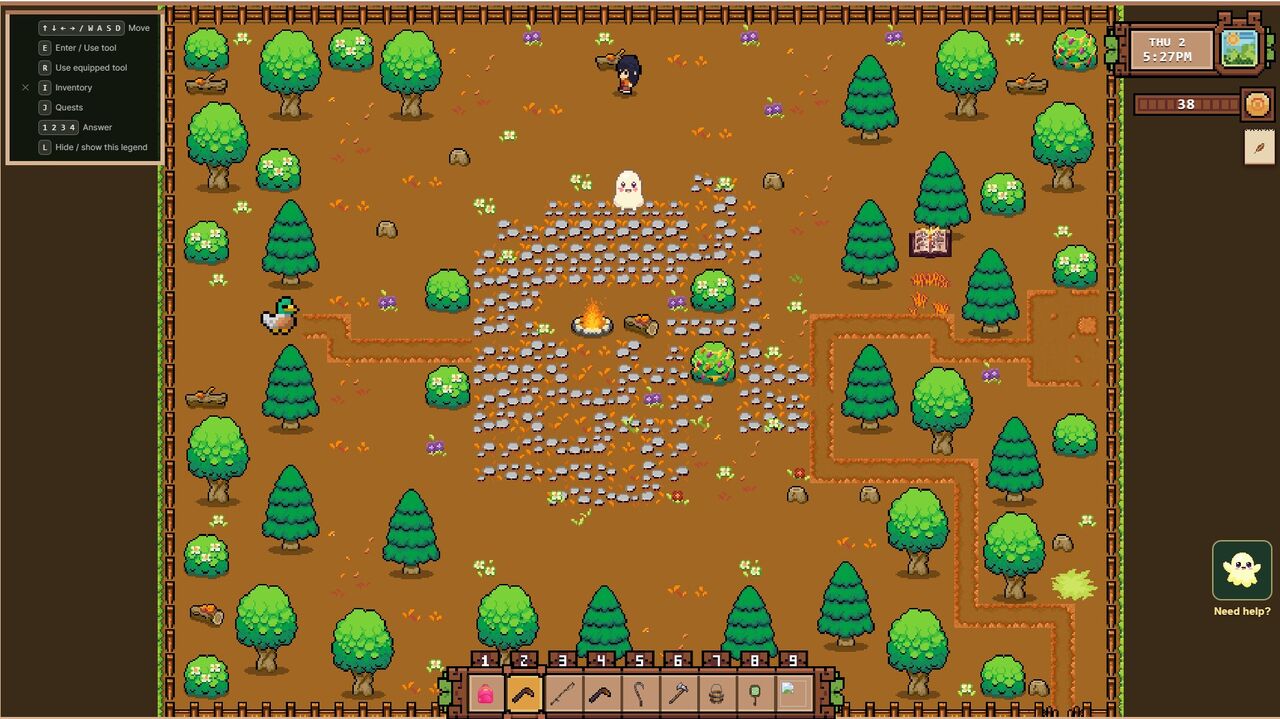
The most important thing you can do during your child's first WordQuest session is simple: sit with them, and be ready to help.
WordQuest is a proper adventure game, not a flashcard app — and that means there's a real learning curve. Your child has to move the hero, work out what they can interact with, and read the challenge, often all at once. For a younger child, or one who hasn't played many games before, that's a lot to take in. They might tap the wrong letter, walk into walls, or spend a couple of minutes just working out how to move. All of that is normal, and a bit of help early on is exactly right.
The one thing we'd gently steer you away from is jumping in on the reading answers themselves — that's the part worth letting your child reach for. Here's how to strike that balance and make those first sessions great for both of you.
Why Being There Beats Taking Over
Young children learn best through exploration and discovery. When they figure something out on their own — even something as small as moving a character with arrow keys — they own that knowledge in a way that watching someone else do it never quite matches. So once your child has the hang of the controls, the reading challenges are the part worth letting them reach for on their own.
That's a balance, not a rule. Help them learn how to play — show them the controls, point out where to go, step in when they're truly stuck. But when a letter or word comes up, give them a beat to try it before you jump in. In our own testing, the children who got room to attempt the reading themselves asked more questions and remembered more in later sessions than the ones who were walked through every answer.
And being there matters in its own right. Sitting next to them, showing interest in what they're doing, sends a powerful message: what you're learning matters to me. That emotional support is worth more than any single instruction.
What the First Five Minutes Look Like
Every child is different, but here's roughly what to expect.
The game opens on the Misty Isle — a small island world your child can walk around freely, with the first location marked and waiting close by. Most kids wander straight over to it. If they don't, a gentle nudge — "I wonder what's over there?" — is all you need.
Inside the location, your child will experiment with the controls. On a tablet, they'll nudge the on-screen pad with a thumb to move. On a computer, they'll use the arrow keys. Give them a moment to figure this out. Some kids get it in seconds. Others need a minute. Both are completely normal.
The first obstacle comes quickly — usually within the first minute. When the hero reaches a blocking tree or chest, a little "Press E" prompt appears (or an E button on a tablet); one tap opens the challenge. A letter appears with a few options to choose between. Your child taps the one they think is right, and the game says it aloud when they get it right. If they get it right, the obstacle opens with a little celebration. If they get it wrong, the screen gives a gentle shake and they can try again immediately. No penalty. No lost lives. No timer. (Here's the full breakdown of how the game works, if you want to know what they'll encounter beyond the first level.)
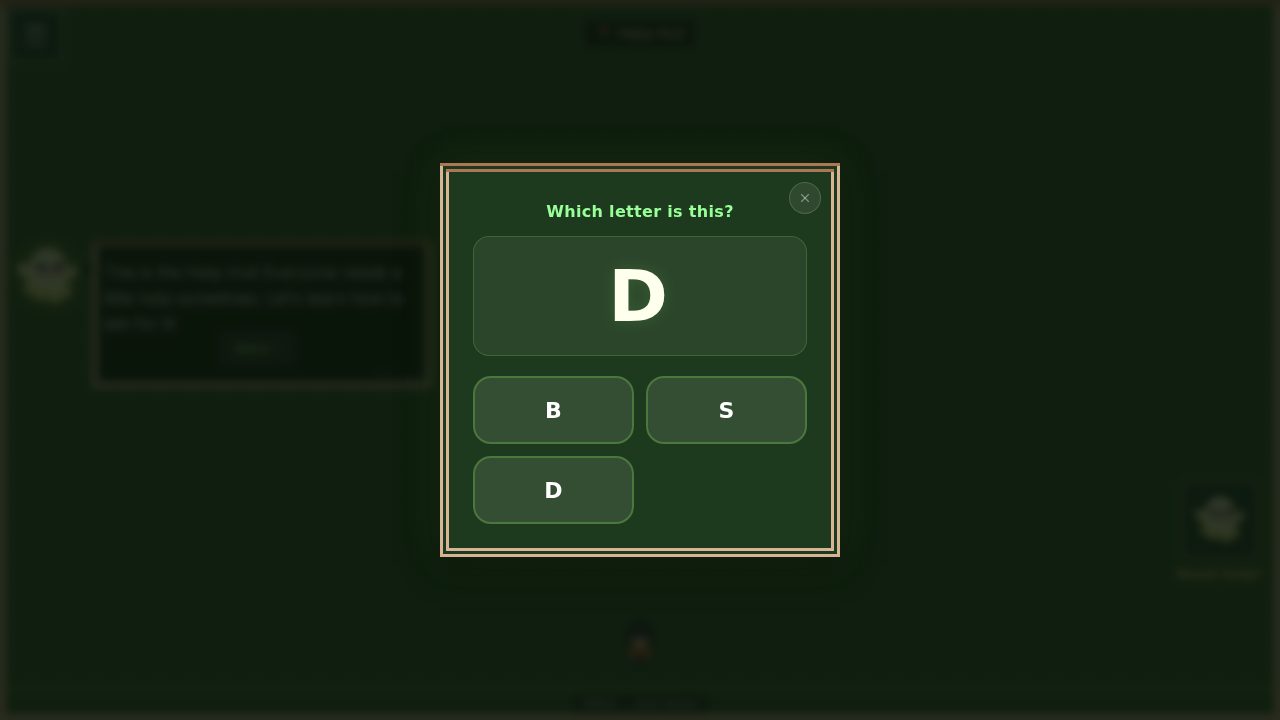 A letter challenge — the game asks, your child picks from a few options, and a wrong tap just means another try.
Watch what they do here. This is the most interesting part of the first session.
When to Step In (and How)
There are three situations where stepping in helps rather than hinders.
Confusion about controls. If your child is tapping the screen and nothing is happening, or they can't figure out how to move, it's fine to show them once. "Try pressing these arrows" or "hold this pad and push the way you want to go." Do it once, then let them practice.
Frustration building. Watch for the signs: huffing, pushing the tablet away, saying "I can't do this." These mean the child has hit their limit, not that they need more instruction. The right response is encouragement, not explanation. "You almost had it! Try the middle one." If frustration continues, it's okay to end the session. Five minutes of positive experience is worth more than twenty minutes of struggle.
They ask for help. When a child asks "what's that letter?", they're ready to learn it. This is the golden moment. Don't just give the answer — give them a clue they can use next time. "That letter makes a sss sound. Like snake!" Now they have a strategy, not just an answer.
In every other situation, let them play. Let them make mistakes. Let them find their own way around the island.
The Five-Minute Co-Play Strategy
Here's something that worked really well for our family. For the first few sessions, we'd play together for five minutes, then let the child continue independently.
During those five minutes, we'd sit close, react to what happened on screen ("oh, you found a treasure chest!"), and help if asked. After five minutes, we'd say "you're doing great, I'm going to start dinner — keep going!" The child transitions from supported play to independent play naturally, without it feeling like they've been abandoned.
This approach works because it builds confidence. The child knows they can do it — they just proved it for five minutes with you watching. Now they get to prove it to themselves.
What Success Looks Like in Session One
Here's what success does NOT look like: completing a level. Your child might not finish the first level on their first session. That is perfectly fine. That is normal.
Here's what success actually looks like:
- Your child voluntarily played for more than five minutes
- They encountered at least a few letter or word challenges
- They got at least one answer right (even by guessing)
- They didn't end the session in frustration
- They expressed any interest in playing again
If any of these happened, the first session was a success. The goal isn't progress through content — it's building a positive association with reading in a game context. Everything else follows from that.
How Long a First Session Should Run
Every child is different, but as a rough guide, session length grows with attention span and familiarity:
- The very first sessions — 5–10 minutes. A short attention span is completely normal; don't push it.
- Finding their groove — 10–15 minutes. Many children settle in around the 8–10 minute mark.
- Sustaining focus — 15–20 minutes. They can go longer now, but still benefit from co-play.
- Fully hooked — 15–25 minutes, and they may want to keep going. Set a gentle timer.
These aren't limits to enforce rigidly. If your child is happily playing at the fifteen-minute mark, let them continue. If they're done after ten minutes, that's fine too. Follow the child, not the chart — and if you want a wider perspective on what counts as good screen time, we wrote about that here.
After the Session
The most powerful thing you can do after a game session takes thirty seconds. Ask your child about it.
"What did you find on the island?" "Did you open any treasure chests?" "What letter was on the tree?"
These questions do two things. They reinforce what the child learned by having them recall and articulate it. And they show your child that you care about what they did — that their game experience is worth talking about, just like their day at school or their time at the playground.
If your child mentions a specific letter or word from the game, try to spot it together in the real world over the next few days. "Remember the B from the game? There's a B on that bus!" This connection between game-learning and real-world recognition is where the lasting impact lives. Once your child has a few sessions under their belt, our ten tips for getting more out of WordQuest covers the small things that turn play into learning.
We built EduQuest because we wanted something better for our own kids — a game where reading is the adventure, with gentle challenges, no ads in the game, and no pressure on kids. Try it with your family — the Misty Isle is free, and setup takes five minutes.