Playing on Any Device: Touch and Keyboard Controls
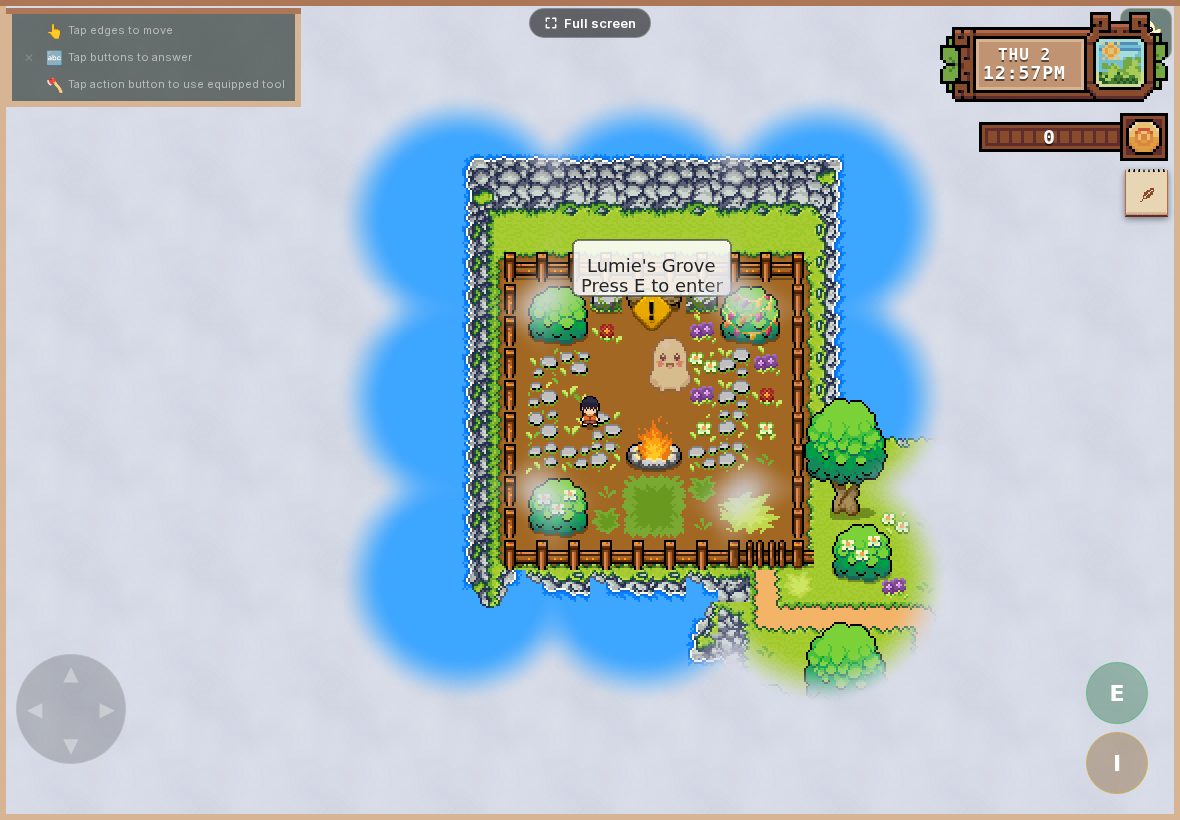
WordQuest plays the same adventure on whatever you have to hand — a tablet on the sofa, a phone on a journey, or a computer at the kitchen table. The controls and a few parts of the screen adapt to the device; the adventure doesn't. Here's the quick version for each.
On a tablet or phone (touch)
This is the most natural setup for younger children. An on-screen control pad (a round d-pad) sits in the bottom-left corner — your child holds a thumb on it to walk the hero in any direction. In the bottom-right corner is a round E button: tapping it opens whatever the hero is standing next to — a blocking tree, a chest, a character to talk to. (A second button — marked I, for items — opens their bag of collected things.)
To answer a challenge once it's open, your child simply taps the letter or word they want. So the whole scheme is: thumb to move, E to open things, tap to choose. Most children need no explanation at all. (The picture at the top of this page shows the layout — control pad bottom-left, E and I buttons bottom-right.)
On a computer (keyboard + mouse)
- Move: the arrow keys walk the hero up, down, left, and right (the W A S D keys work too).
- Open things: press E to clear a tree, open a chest, or talk to a character when the hero is next to it — a small "Press E" prompt shows when something's in reach.
- Answer a challenge: click the letter or word with the mouse (or tap, on a touchscreen laptop).
- One thing to know: click the game area once when you start, so the keyboard "wakes up" and the keys respond.
Pausing and leaving
There's a menu button in the game for pausing and for stepping out of a level. On a computer you can also press Escape to bring up the pause menu. Leaving is always deliberate — it asks before quitting, so a stray tap won't end a session and lose the moment.
Which is best?
For the youngest players, touch wins — it's direct and there's nothing to learn. As children get older, some enjoy the keyboard on a computer. There's no right answer: it's the same adventure, the same challenges, and the same saved progress on every device — only the controls and a few screen details adapt to what you're playing on. Use whatever device is already part of your day.
New to the game? Start with How to Play WordQuest for the bigger picture.